Obby: Fling Stuff and People
Obby: Fling Stuff and People
Urban Sniper Escape

FPV War Kamikaze Drone
Opening Cases - Knock Out The Arcana!
Worm out: Brain teaser games
Cars: Modes

Fairyland Merge & Magic
Robby: Escape The Rooms
TipTop: Tricky Challenges
Help Sprunki: Survival Simulator
Red and Blue Stick: fire and water 2

Beamng: Online City
Words with hints

Obby: Fling Stuff and People
Obby: Fling Stuff and People
Urban Sniper Escape
Urban Sniper Escape
FPV War Kamikaze Drone
FPV War Kamikaze Drone
Opening Cases - Knock Out The Arcana!
Opening Cases - Knock Out The Arcana!
Worm out: Brain teaser games
Worm out: Brain teaser games
Cars: Modes
Cars: Modes
Fairyland Merge & Magic
Fairyland Merge & Magic
Robby: Escape The Rooms
Robby: Escape The Rooms
TipTop: Tricky Challenges
TipTop: Tricky Challenges
Help Sprunki: Survival Simulator
Help Sprunki: Survival Simulator
Red and Blue Stick: fire and water 2
Red and Blue Stick: fire and water 2
Beamng: Online City
Beamng: Online City
Words with hints
Words with hints
Hunter with rifle
Hunter with rifle
A Wonderful Field: capital show
A Wonderful Field: capital show
Minecraft Editor
Minecraft Editor
Fun Clicker: Poppy Playtime 5
Fun Clicker: Poppy Playtime 5
Private Stand 2 Gold: Cheat and Promo Code
Private Stand 2 Gold: Cheat and Promo Code
Ultimate Fishing: Reel Catch
Ultimate Fishing: Reel Catch
Friday Night Funkin vs Imposter 2.0
Friday Night Funkin vs Imposter 2.0
Zombie Defense: Building Clearance
Zombie Defense: Building Clearance
Prison Escape Simulator 3D: Dig Out Master Journey
Prison Escape Simulator 3D: Dig Out Master Journey
Hospital Simulator 2025
Hospital Simulator 2025
Match 4
Match 4
Parkour in the tower of hell
Parkour in the tower of hell
Solitaire Classic Klondike
Solitaire Classic Klondike
Girl's Closet: Match & Clear
Girl's Closet: Match & Clear
Escape from Lava!
Escape from Lava!
Checkers
Checkers
Sprunki Phase 3
Sprunki Phase 3
Playground: Ragdoll War
Playground: Ragdoll War
Attack Hole
Attack Hole
Top Sniper
Top Sniper
DOP Complete the Picture
DOP Complete the Picture
Hexa Sort Puzzle
Hexa Sort Puzzle
Trampoline Basketball 3D
Trampoline Basketball 3D
Block Escape: Brain Training
Block Escape: Brain Training
Playground
Playground
Sprunki Action Playground: Ragdoll Sandbox
Sprunki Action Playground: Ragdoll Sandbox
Hunting: Italian brainrot animals 3D
Hunting: Italian brainrot animals 3D
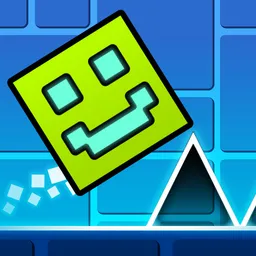
Geometry Cube 2: Challenge invites you to a thrilling, fast-paced platformer where precision and agility are key! Navigate your cube through diverse geometric levels, skillfully avoiding obstacles and collecting valuable coins to reach the finish. This engaging reflex game offers an intense experience for players ready to test their timing and master every jump.
Controlling your cube in Geometry Cube 2: Challenge is straightforward, whether you're on a smartphone or computer. Your primary goal is to avoid obstacles and collect coins as you advance through each challenging level.
Should you hit an obstacle, respawn instantly just two seconds back, giving you ample opportunity to perfect your precision platformer skills. Use the practice mode to hone your skills without pressure and overcome even the most difficult levels.
The developer of Geometry Cube 2: Challenge is not clearly credited on the available game listings. This exciting rhythm game is a popular title across various gaming platforms, known for its engaging geometric levels and addictive gameplay.
While specific creator details are not prominently displayed, the game consistently delivers a high-quality experience for players seeking a new challenge with rhythmic background music and responsive controls.
To truly become a master in Geometry Cube 2: Challenge, utilize the dedicated practice mode to hone your skills. This feature allows you to set checkpoints, helping you to conquer tricky sections and learn precise jump patterns without losing all your progress. Consistent practice will improve your reaction time and understanding of the challenging levels.
Geometry Cube 2: Challenge boasts a rich array of features to keep you immersed. Enjoy 10 unique levels ranging in difficulty, customize your cube's appearance with 22 different skins, and benefit from the invaluable practice mode. The game also features catchy rhythmic music and incredibly simple controls, making it accessible and fun for everyone who loves to avoid obstacles.